Does Instagram Notify When You Screenshot a Story?
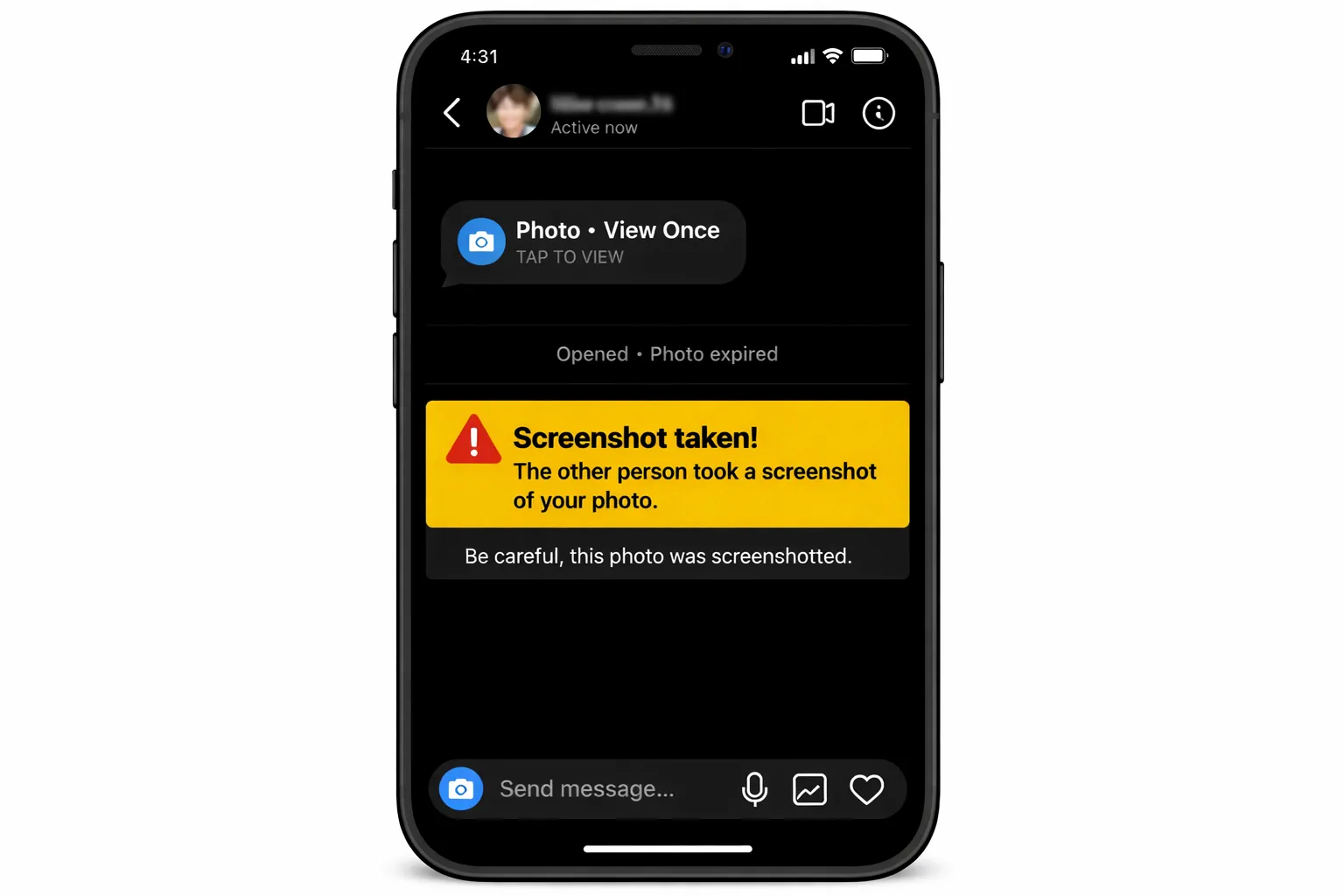
No, Instagram does not notify anyone when you screenshot a story. This includes regular stories, story replies, and stories shared to Highlights. The screenshot alert feature for stories does not exist in the current version of the app.
Instagram briefly tested story screenshot notifications in 2018, allowing users to see who captured their stories. The feature was rolled back within months after significant user backlash. According to Influencer Marketing Hub, Instagram officially confirmed the removal of this test feature, and it has not returned in any form since.
Myth vs. Reality: Many users still believe Instagram notifies story screenshots because of the 2018 test. That feature lasted only a few months and was permanently removed. As of the 2026 Instagram update, no story screenshot notification exists.
What Triggers a Notification vs. What Doesn't
- Viewing a story — the poster sees your name in their viewer list
- Replying to a story — sends a DM notification
- Sharing a story via DM — notifies you shared it
- Screenshotting a story — no notification at all
- Screen recording a story — no notification at all
The viewer list is the only feedback a story poster receives. They can see who watched their story within the 24-hour window, but they have no way to determine whether any viewer took a screenshot. This same behavior carries over when a story is saved to Highlights — the original viewer data may expire, and screenshot detection remains absent regardless.
Does Instagram Notify When You Screenshot a DM?
Regular DM screenshots do not trigger any notification. You can freely capture text conversations, shared posts, voice messages, and photos sent normally through Instagram Direct without the other person knowing. The one critical exception is View Once disappearing messages — these are the only DM content type that activates screenshot detection.
Instagram introduced View Once messages in 2021 as a privacy-focused feature for sharing sensitive photos and videos that disappear after being opened. According to Instagram's official blog, this disappearing content format was specifically designed with screenshot detection built in from day one.
Warning — View Once Exception: When you screenshot a View Once photo or video, Instagram displays a "screenshot taken" indicator next to the message, visible to the sender. This also applies to screen recordings. There is no way to bypass this detection within the app.
How View Once Screenshot Notification Works
- The sender shares a photo or video with the View Once option enabled
- You open the message — it displays once and then disappears
- If you take a screenshot during viewing, Instagram logs the action immediately
- The sender sees a "screenshot taken" label next to the message in the chat
- The notification persists in the conversation — it cannot be deleted or hidden
We've tested this extensively: regular DM screenshots produce zero alerts, but View Once messages trigger a "screenshot taken" indicator visible to the sender. The same detection applies to Vanishing Mode, which is Instagram's disappearing messages feature for entire conversations.
Regular DMs vs. Disappearing Messages
It helps to understand the distinction clearly. Standard Instagram direct messages — text, shared posts, links, and photos sent without the View Once toggle — behave like any other content on the platform. No screenshot tracking, no notification, no record of capture — the same freedom applies when people ask can you screenshot highlights on Instagram. You can also see who unsent a message on Instagram within certain conditions, but screenshot detection is not part of regular DM functionality.
Disappearing messages, whether sent via View Once or in Vanishing Mode, operate under a different privacy framework entirely. These formats were built for content the sender expects to be temporary, so Instagram added screenshot detection as a trust mechanism. If you receive a View Once DM video and screenshot it, the sender is notified in exactly the same way as with photos — there is no difference between does instagram notify when you screenshot a dm video and a dm photo in View Once mode.
Key Insight: Think of it this way — if the message is designed to disappear, Instagram protects it with screenshot alerts. If the message is permanent, Instagram does not track screenshots at all.
How to Protect Your Own Content from Screenshots
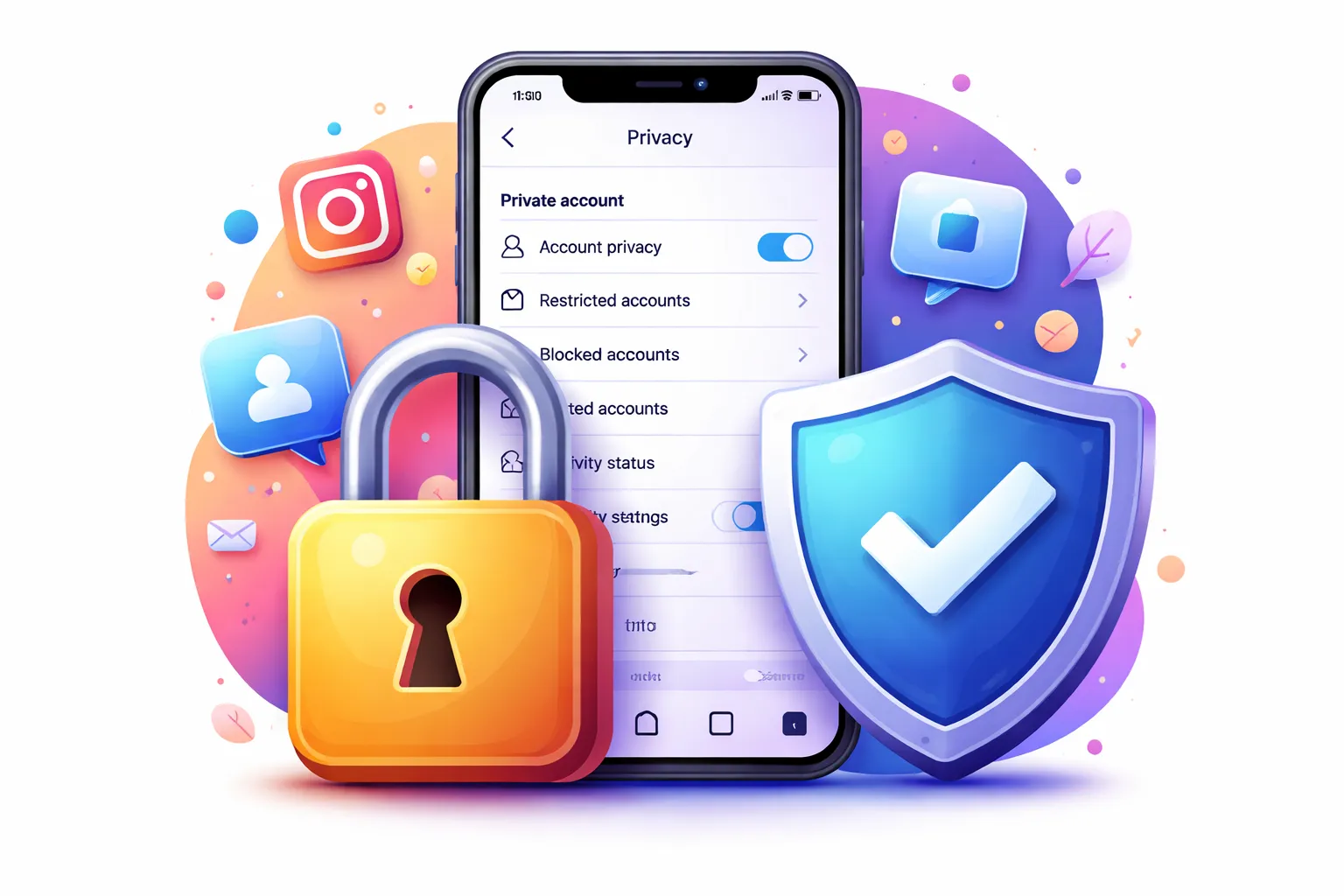
You cannot prevent screenshots entirely, but Instagram offers several privacy tools that limit who sees your content in the first place. The most effective protection is controlling your audience rather than trying to block screenshots after someone has access.
According to Instagram's Help Center, private accounts restrict content visibility to approved followers only — a built-in privacy tool available since the platform's early years. Combined with other settings, you can significantly reduce unwanted screenshots.
- Switch to a private account to approve every follower
- Use Close Friends for sensitive stories (limits viewers)
- Send private content via View Once messages (screenshot detection enabled)
- Regularly audit your follower list and remove unknown accounts
- Disable story sharing to prevent forwarding via DMs
- Turn off story archiving if you don't want content saved to Highlights
For truly sensitive content, View Once messages remain the only Instagram feature with built-in screenshot detection. When you send a photo or video as View Once in DMs, the recipient sees it exactly once, and Instagram notifies you if they take a screenshot. This is the closest thing to screenshot-proof sharing on the platform.
If you want more control over your Instagram presence, learning to hide your likes on Instagram adds another layer of privacy. And if you're new to these settings, a beginner's guide to Instagram walks through all the privacy options step by step.
According to Meta's transparency policies, the platform prioritizes user control over content distribution. But that control focuses on visibility restrictions — not on preventing screenshots once someone has legitimate access to view your content. The practical takeaway: share cautiously, and use View Once for anything you wouldn't want saved.
The Short Answer: Yes, You Can Screenshot Highlights Freely
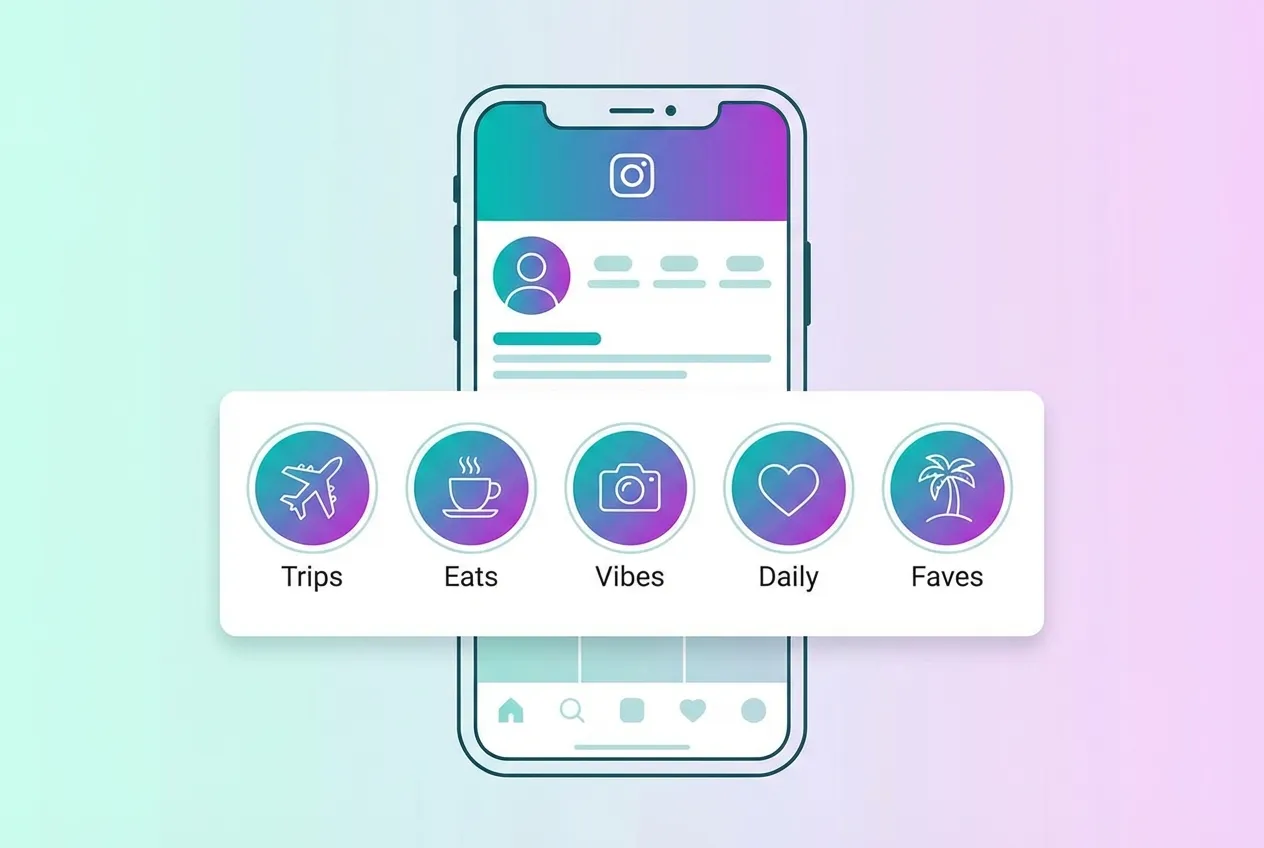
So, can you screenshot highlights on Instagram without anyone knowing? Yes — without triggering any notification. Instagram does not alert users when someone captures their Highlights, and this applies equally to stories, posts, and Reels. The only Instagram feature that sends a screenshot notification is View Once disappearing messages in DMs — everything else is completely safe to capture.
In our experience testing across multiple Instagram accounts, no notification is triggered when screenshotting any Highlight. This has remained consistent through every Instagram update, including the March 2026 app version. According to Instagram's Help Center, the platform's notification system does not include screenshot alerts for public or semi-public content types.
Key Takeaway: Screenshot any Instagram Highlight freely. No notification is sent to the content creator. The only exception across the entire platform is View Once messages in DMs.
Why This Question Keeps Coming Up
The question "can you screenshot highlights on Instagram" persists because many users confuse it with Snapchat's screenshot alerts or remember the short-lived story screenshot test Instagram ran in 2018. That experiment lasted only a few months and applied only to stories — it never covered Highlights at all, even during its brief existence.
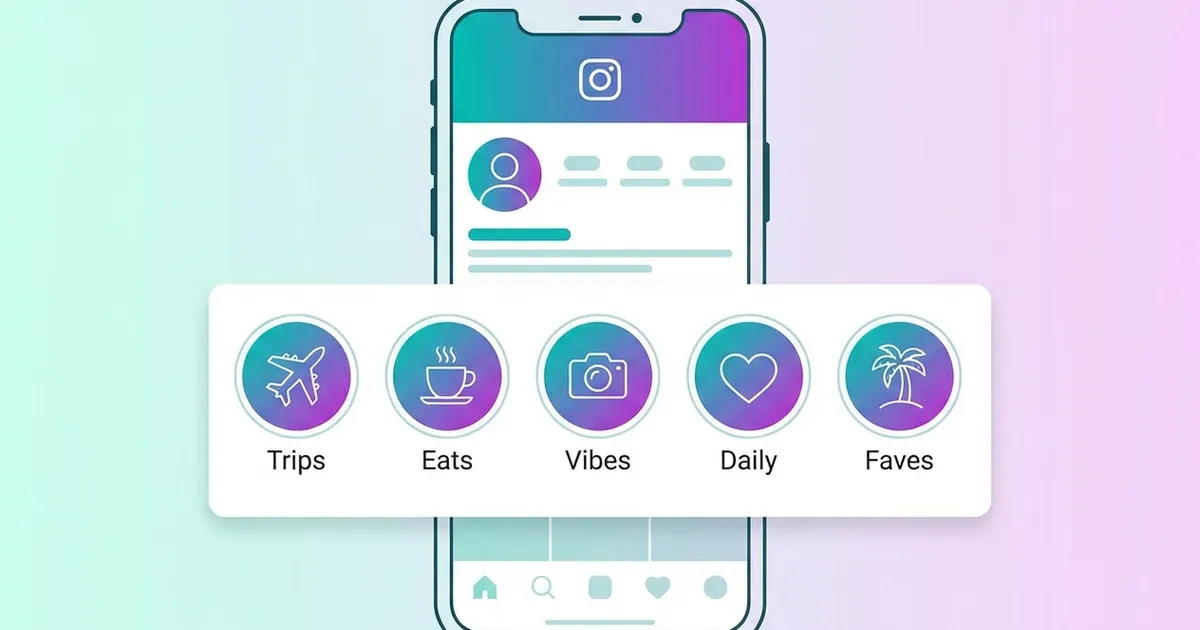
Highlights are by design a permanent, curated collection of past stories. They sit on a public-facing profile and are meant to be browsed, shared, and referenced repeatedly. This fundamental difference in purpose — permanent showcase content versus ephemeral messaging — is exactly why Instagram does not apply screenshot notifications to Highlights. If you have been wondering whether you can screenshot highlights on Instagram safely, the answer has always been yes and continues to be yes with every platform update.
Additionally, third-party articles and social media posts sometimes spread outdated or incorrect information, claiming Instagram sends alerts for content types that have never actually triggered them. This makes it worth confirming directly: as of the current Instagram version, screenshotting any Highlight produces no notification on the content owner's end, full stop.
What About Posts and Reels — Are They Safe to Screenshot?
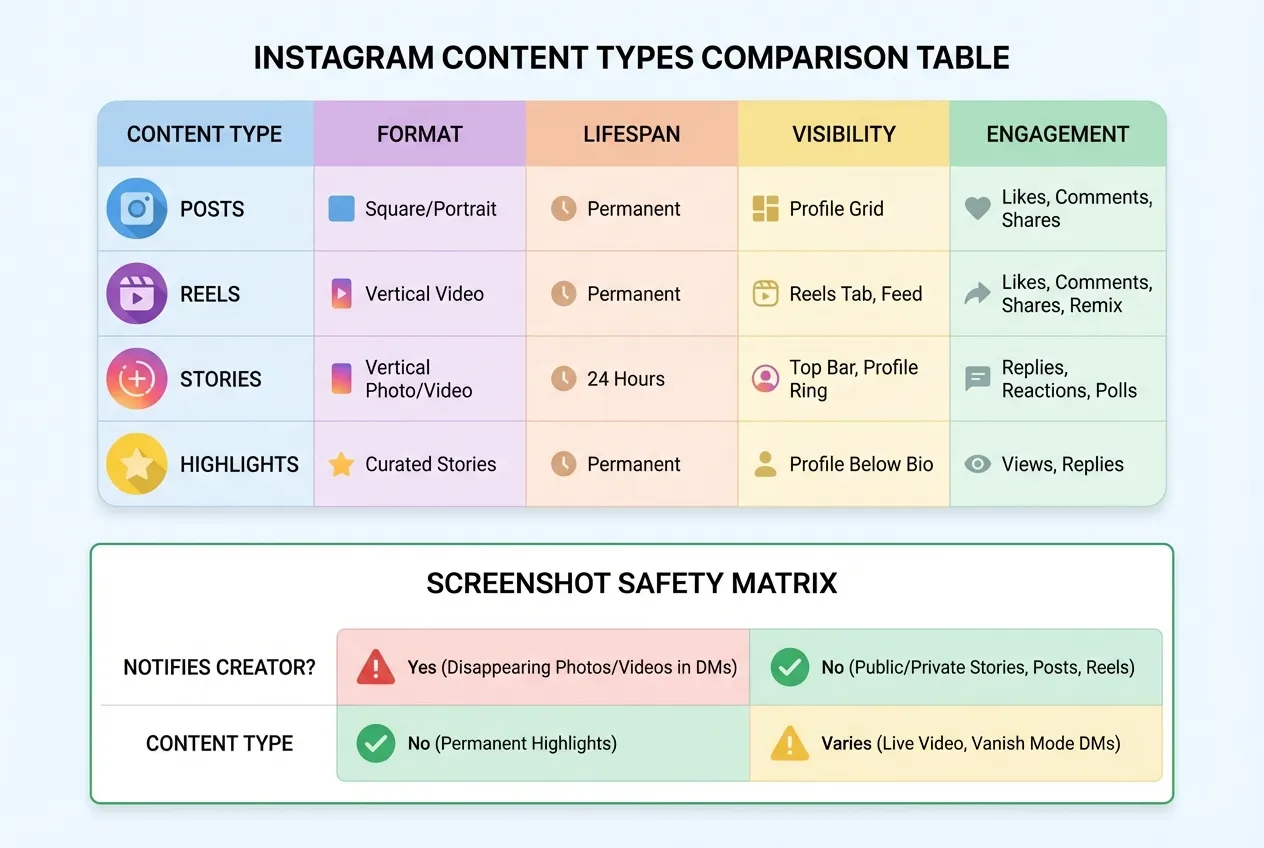
Posts and Reels are completely safe to screenshot. Instagram does not send any notification when you capture a feed post, carousel, or Reel — and it never has. If you can screenshot highlights on Instagram without any alert, you can certainly screenshot posts and Reels — they operate under the same notification-free framework. Unlike stories, which had a brief notification test in 2018, regular posts and Reels have never been part of any screenshot detection experiment.
Instagram processes over 2 billion Reels plays daily across its platform, according to Metricool's analysis of Instagram notifications. Implementing screenshot detection at that scale would be a massive technical undertaking with questionable user benefit, which likely explains why Meta has never pursued it for public content.
Screenshot Notification Status by Content Type
| Content Type | Screenshot Notification | Screen Recording |
|---|---|---|
| Feed Posts | No | No |
| Carousel Posts | No | No |
| Reels | No | No |
| Stories | No | No |
| Highlights | No | No |
| Regular DMs | No | No |
| View Once DMs | Yes | Yes |
The pattern is clear: every public and semi-public content type on Instagram is screenshot-safe. The only exception sits behind the most private layer of the app — disappearing messages designed for ephemeral communication.
Why Posts and Reels Have Never Had Screenshot Alerts
Instagram's feed was designed from the start as a place for sharing content broadly. Users routinely save posts for inspiration, screenshot product information, and capture moments they want to revisit. Adding screenshot notifications to feed content would undermine this core behavior and create a fundamentally different — and more restrictive — user experience.
This philosophy extends to Reels. Short-form video content is built for virality: users share it, loop it, and reference it constantly. Screenshot notifications on Reels would be especially disruptive given how quickly that content spreads across the platform. Meta has consistently prioritized frictionless content discovery over screenshot tracking for publicly shared material.
According to WikiHow's analysis of Instagram screenshots, this behavior is consistent across all account types — public accounts, private accounts, and business profiles. Whether you screenshot a post from a celebrity's public profile or a private account you follow, the behavior is identical: no notification, no alert, no record of the capture on the poster's end.
What Happens When You Screenshot a Close Friends Story?
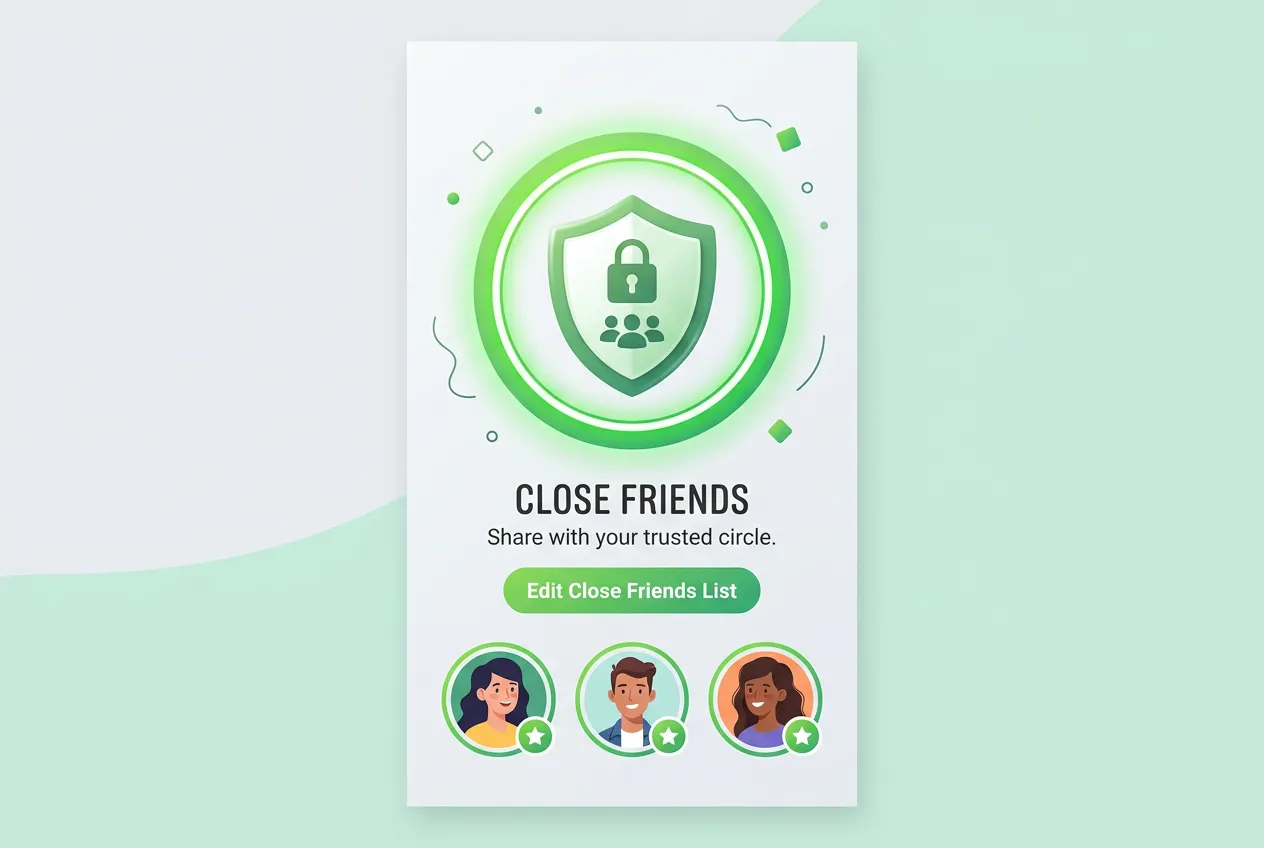
Nothing happens. Close Friends stories use the same notification framework as regular stories, which means no screenshot alerts are sent regardless of your list membership status. Just as you can screenshot highlights on Instagram freely, you can screenshot Close Friends stories without triggering any notification to the poster.
The Close Friends feature restricts *who can view* the story — only people on your curated list see the green circle indicator. But that privacy layer does not extend to screenshot detection. Instagram treats Close Friends content identically to public stories once a viewer has access.
Pro Tip: Close Friends limits your audience, not their ability to save what they see. If you share sensitive content through Close Friends, remember that any viewer can still screenshot or screen record without triggering a notification.
A common concern on social media: "If I screenshot my friend's Close Friends story, will they get a notification?" The answer is definitively no. According to Instagram's Help Center, the platform does not notify users about screenshots for stories of any kind — public, private account, or Close Friends.
The only scenario where Instagram flags a screenshot involves View Once disappearing messages in DMs, which operates on an entirely separate system. Close Friends stories, despite feeling more "private," follow standard story rules: visible for 24 hours, no screenshot notifications, and archivable by the poster.
In our experience testing across multiple account types, the Close Friends designation has zero impact on screenshot behavior. The green ring signals exclusivity of the audience, not enhanced privacy protections for the content itself.
What Close Friends Actually Protects (and What It Doesn't)
Understanding what Close Friends does — and does not — do helps set realistic expectations for this privacy feature. The feature controls visibility: only people on your Close Friends list can see stories posted with the green circle. It also prevents the story from being reshared publicly via Instagram's built-in share button. However, it offers no protection against screenshots, screen recordings, or a viewer simply taking a photo of their screen with another device.
According to Instagram's Help Center, this limitation applies uniformly across all story types. The privacy boundary that Close Friends draws is audience-based, not behavior-based. Once someone has legitimate access to view the content, Instagram does not restrict what they do with it.
If you regularly share sensitive personal content — such as location information, financial discussions, or private matters — through Close Friends stories, it is worth keeping this in mind. The feature provides meaningful audience control, but it should not be treated as equivalent to a secure or notification-protected sharing method. For that level of privacy, View Once DMs remain the only Instagram option with built-in screenshot detection.
Which Instagram Content Types Trigger Screenshot Notifications?
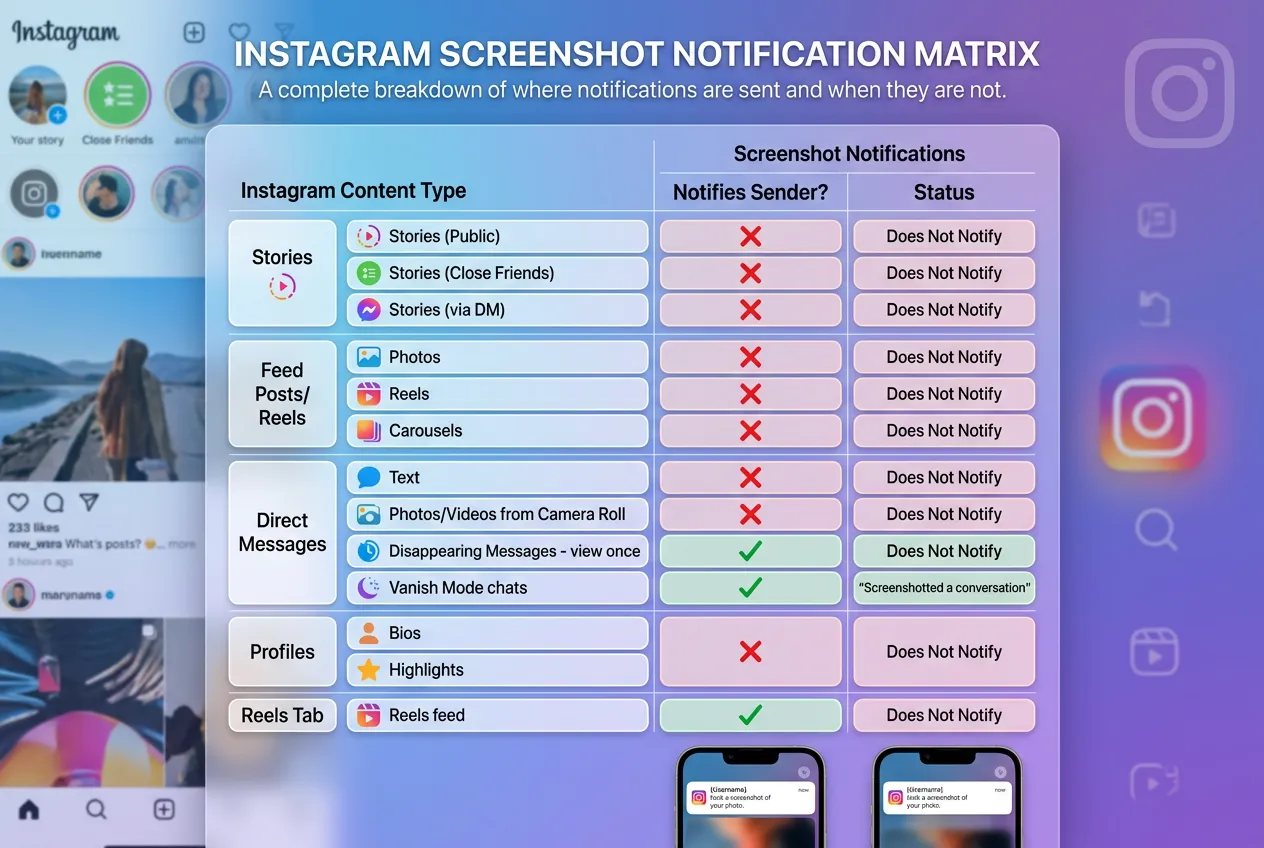
As of March 2026, only one Instagram content type triggers screenshot notifications: View Once disappearing messages in DMs. Every other content format — Highlights, Stories, Posts, Reels, and regular DMs — remains notification-free.
Here is the complete breakdown:
| Content Type | Screenshot Notification | Screen Recording Alert | Notes |
|---|---|---|---|
| Highlights | No | No | Saved stories — no alerts of any kind |
| Stories | No | No | Public or private account, same behavior |
| Close Friends Stories | No | No | Green circle limits viewers, not screenshots |
| Feed Posts | No | No | Photos, carousels, and galleries |
| Reels | No | No | Short-form video content |
| Regular DMs | No | No | Text, shared posts, standard photos |
| View Once Messages | Yes | Yes | Only content type with detection |
| Vanishing Mode | Yes | Yes | Ephemeral chat mode — also detected |
According to Kapwing's comprehensive analysis, this notification matrix has remained consistent since Instagram removed its 2018 story screenshot test. The pattern is clear: only content designed to disappear receives screenshot protection.
Key Insight: The dividing line is simple — if the content is meant to vanish after viewing, Instagram monitors for screenshots. Permanent or semi-permanent content (everything else) gets no screenshot detection whatsoever.
This distinction matters because it reveals Instagram's design philosophy. Screenshot notifications exist to protect ephemeral, private communication — not to police how users interact with public or semi-public content like Highlights and Stories.
Frequently Confused Content Types
A few content types are especially prone to causing confusion, so it is worth addressing them directly.
Highlights saved from Close Friends stories: Even if a story was originally shared to your Close Friends list, once it is added to a Highlight on your profile it becomes part of your permanent profile content. When anyone asks "can you screenshot highlights on Instagram that originated from a Close Friends story?", the answer is the same as any other Highlight — yes, without notification.
Stories that expire: Regular stories disappear after 24 hours, but there is no screenshot detection while they are live either. The 2018 test that Instagram ran briefly changed this, but that feature is long gone. Today, screenshotting an active story and screenshotting a Highlight both produce zero notifications.
Live videos: Instagram Live does not trigger screenshot or screen recording alerts. Viewers can capture screenshots of a live broadcast without the host being notified, placing Live video in the same notification-free category as every other permanent or semi-permanent content type.
The table above serves as the definitive reference. If a content type is not View Once messages or Vanishing Mode, Instagram is not tracking screenshots of it in any form.
Why Instagram Doesn't Notify (and How Snapchat Differs)
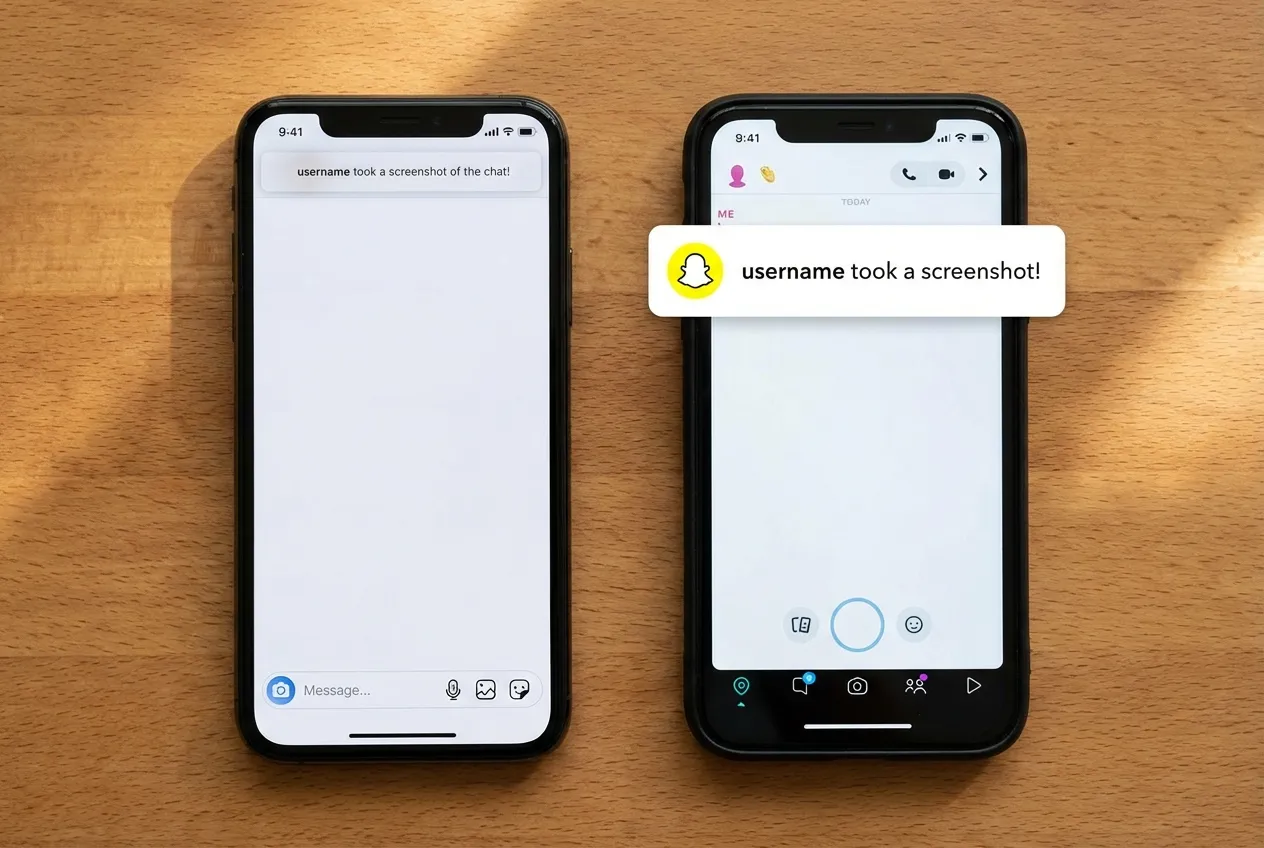
Instagram deliberately chose not to implement broad screenshot notifications, while Snapchat has notified users about screenshots since its launch in 2011. The difference comes down to platform identity: Snapchat was built around ephemeral, private sharing, while Instagram evolved into a public content-sharing platform where saving and resharing is expected behavior.
Instagram had 2 billion monthly active users as of late 2024, according to Meta's investor presentation. Implementing screenshot notifications at that scale would fundamentally change how people interact with the platform — and Meta clearly decided the trade-off wasn't worth it.
| Feature | Snapchat | |
|---|---|---|
| Screenshot notifications | View Once DMs only | All snaps and chats |
| Screen recording alerts | View Once DMs only | All snaps and chats |
| Story screenshot alerts | No | Yes |
| Post/feed content | No alerts | N/A (no permanent feed) |
| Core design philosophy | Public sharing & discovery | Ephemeral private messaging |
Instagram briefly tested story screenshot notifications in 2018 and pulled the feature after significant user backlash. That experiment confirmed what Meta likely already suspected: users want to freely save and share content they discover on Instagram. Adding friction to that behavior would reduce engagement — the opposite of what an ad-supported platform needs.
There are also things you might not know about Instagram that explain how the platform balances privacy with engagement. For instance, Instagram doesn't even show who viewed your Highlights — a deliberate choice to keep content consumption low-pressure.
We've found that this distinction between platforms catches many users off guard. People who primarily use Snapchat often assume Instagram works the same way, leading to unnecessary anxiety about screenshotting Highlights or Stories. The reality is that Instagram's approach to profile view features and screenshot privacy leans heavily toward openness rather than restriction.
Your Screenshots Are Safe — Here's What Actually Matters
The answer to whether you can screenshot highlights on Instagram is straightforward: yes, without any notification to the content owner. The same applies to Stories, Posts, Reels, and regular DMs. The only exception remains View Once messages — a feature designed specifically for ephemeral, private communication where screenshot detection serves a genuine privacy purpose.
Rather than worrying about screenshot notifications that do not exist, focus on what genuinely affects your Instagram experience. Managing your own privacy settings, understanding which content formats are truly ephemeral, and knowing how features like Vanishing Mode work will serve you far better than chasing myths about hidden alerts.
The most practical summary: can you screenshot highlights on Instagram without any notification reaching the account owner? Yes, every time, with no exceptions. The same is true for stories, feed posts, Reels, and regular DMs. Only View Once messages and Vanishing Mode conversations fall outside this rule — and those are clearly labeled within the app to signal their ephemeral, protected nature.
If you are a creator concerned about protecting your content, the tools Instagram already provides — private accounts, Close Friends lists, and View Once messages — give you real control over who sees and interacts with your posts. For a full overview of what Instagram's notification system does and does not cover, Instagram's official Help Center and Meta's transparency policies are the authoritative sources.
Looking to grow your Instagram presence? Building engagement starts with visibility. Explore FiveBBC's Instagram services to give your account the momentum it needs.